



Key takeaways
- Follow TripleTen's 30/70 guideline: let an AI tool draft roughly 30% of your resume, and keep the other 70% in your own voice, with your own verified numbers.
- Hiring teams are already screening for AI use. 74% of hiring managers say they can spot it in an application, and 67% of HR leaders say AI-generated applications have slowed their hiring down.
- Three phases turn a generic draft into an application that clears the filters: feed the AI your raw career data, build the document section by section, then check it against an applicant tracking system.
Nobody handed you a rulebook for using AI in a job application. That's not an accident. The 2026 AI Direction Deficit Study, which TripleTen ran across 2,000 American office workers in March 2026, found that 57% of C-suite respondents say their employer has "completely" encouraged them to use AI, against just 27% of staff. Most of us are working out the norms on our own.
Resume writing is where that guesswork gets expensive. Recruiters and applicant tracking systems (ATS) already use AI to screen candidates, and AI fluency has become table stakes on the applicant side too: in TripleTen's AI-Ready Report, 83% of surveyed graduates said they now use ChatGPT, Claude, Gemini, or a similar assistant in their work.
So the question isn't whether to use these tools. It's how to use AI for resume writing in a way that gets you through the filters without setting off the alarms on the other side. Here's the process we teach, and the traps worth knowing about.
How does using artificial intelligence for resume writing work?
AI resume tools work by processing the raw material you give them, so the quality of your input sets the ceiling on the output. Two things follow from that.
- You don't just ask the tool to "write a resume." Large language models have gotten better at prompting you for follow-up details, which cuts down on invented data, though they'll still fill gaps if you leave gaps.
- You feed the AI your career data: previous roles and job descriptions, performance reviews, and past achievements.
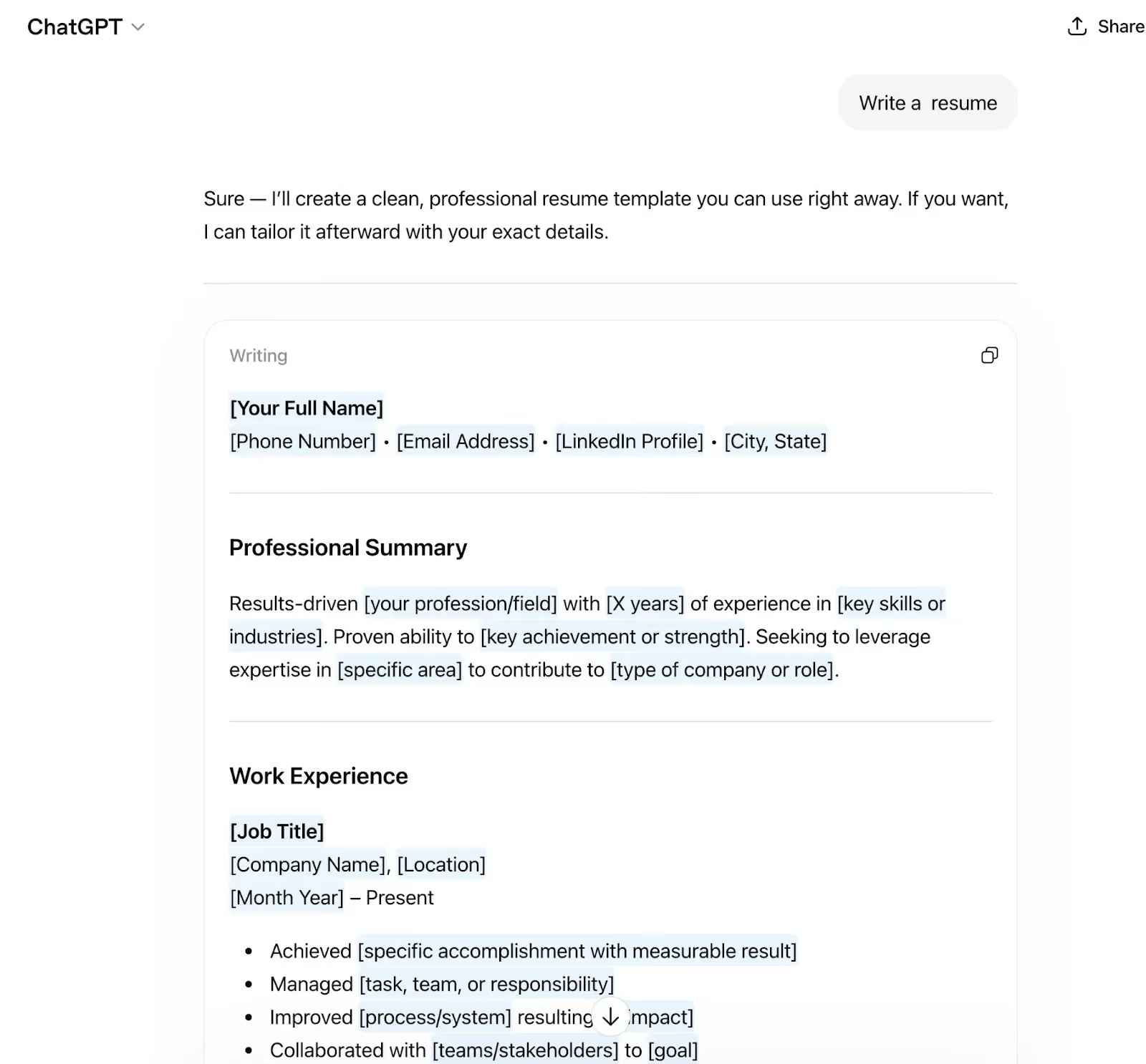
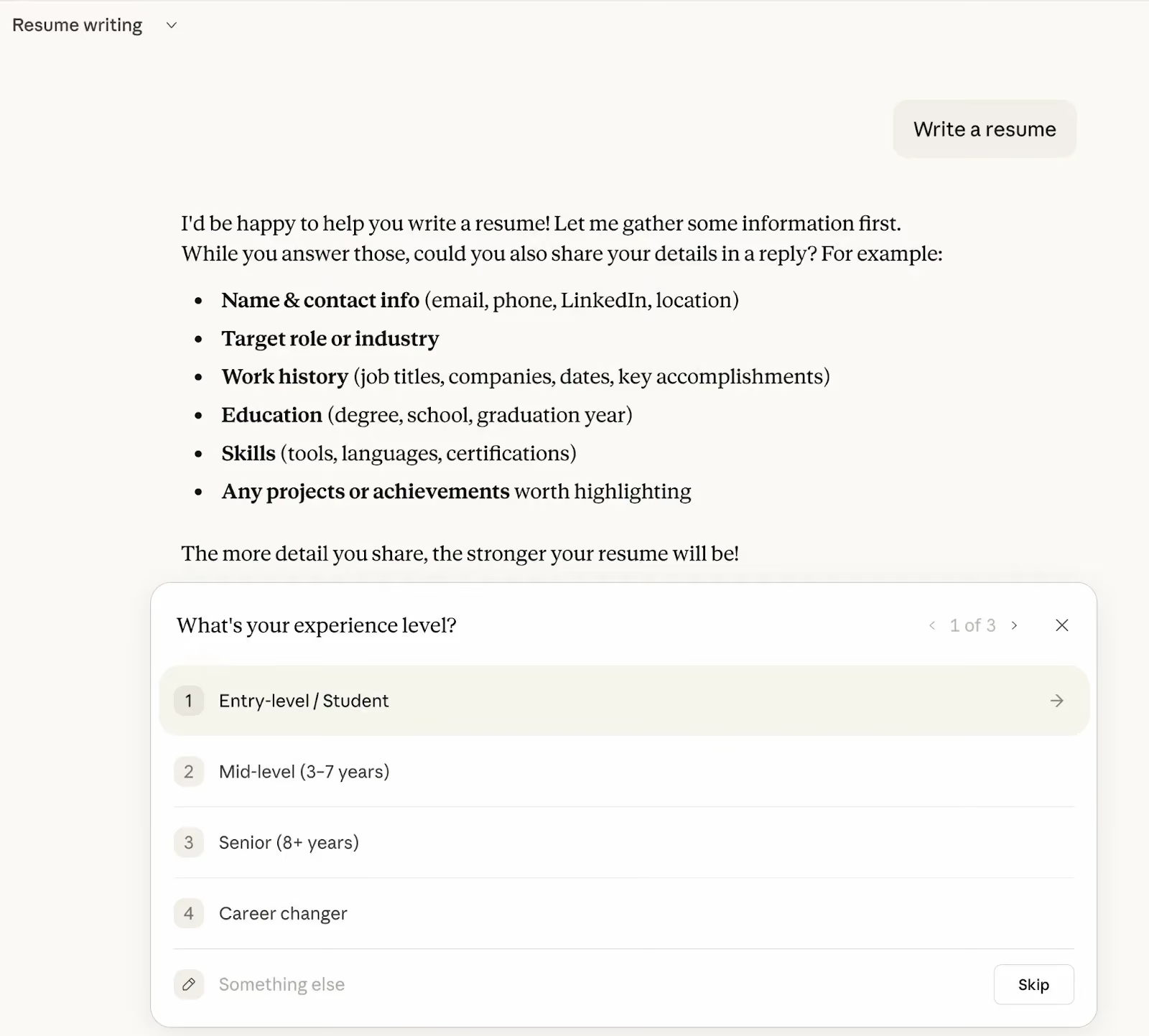
The tool then uses natural language processing to analyze your input, cross-reference it against the skills your target role calls for, and structure the result for ATS platforms — the software companies use to post jobs, screen resumes, and manage hiring.
That structuring is the part worth paying for. A good AI tool acts as a hiring translator, turning a list of duties into a narrative that shows what you actually delivered.
Is it safe to write your resume with AI?
Yes, with one condition: you have to be able to defend every claim in an interview. The risk isn't the tool, it's what happens when a document outruns the person attached to it.
Hiring teams are feeling this. Robert Half surveyed more than 2,000 US hiring managers and found that 65% say a surge in applications, many of them enhanced or generated by AI, has made verifying candidate skills harder. Among HR leaders, 67% say reviewing AI-generated applications has slowed their hiring process down.
They're also watching for it. In CV Genius research covering 625 hiring managers, 74% said they can spot when AI has been used in a job application.
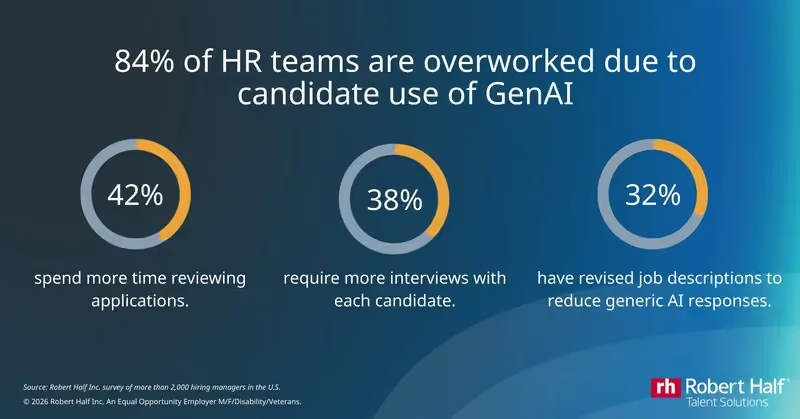
Because generative tools can easily fabricate work histories, 67% of HR leaders report that these applications actually slow down hiring as teams spend extra time validating claims.
How to use AI to help write your resume: The three phases
The process breaks into three phases: preparation, building, and optimization. It works the same whether you're using a general assistant like ChatGPT or TripleTen's free career tools.
Phase 1: preparation, or the garbage-in problem
Start by giving the AI more context than feels necessary. Generic instructions produce a generic resume, and that's the single most common reason these tools disappoint people.
- The career dump method: gather your rough notes, past performance reviews, and unformatted LinkedIn data, then feed them in wholesale. Let the tool sort through the mess.
- Establish your foundation: narrow your target role with TripleTen's Job Title for Resume Generator, then shape how you describe yourself with Adjectives to Describe Yourself. Settling both before you generate any resume text gives the AI a clear brief to work from.
- Set the AI's perspective: tell it who it is. "Act as a senior technical recruiter with 15 years of experience hiring for [target role]" produces noticeably sharper output than the same request with no framing.
Phase 2: building your resume with AI, section by section
Once the AI has your history and your target role, build the document one section at a time rather than asking for a finished resume in one go.
Your professional summary is a three-sentence pitch covering four things:
- Your job title and experience
- Key accomplishments
- Core skills, which is where your keywords go
- What you bring to the role, and why
If the tone keeps coming out stiff, run your details through TripleTen's Resume Summary Generator, which is built to help career changers write an ATS-friendly intro that still sounds human.
Your experience section runs on the action-plus-metric formula. Prompt the AI to convert vague tasks into quantified achievements: "managed a team" becomes "led a team of 10 to increase output by 25%."
Your skills section should mirror the job description. Have the AI group your technical and soft skills to match what the posting asks for, and use the Job Skills Matcher to check that the achievements you're quantifying line up with the skills employers are actually listing.
Phase 3: check your draft with an ATS resume checker
Before you apply, test how your resume performs against the software that reads it first. Run your draft through TripleTen's ATS Resume Checker and Resume Optimizer to see how it scores and which technical keywords are missing.
Two more moves in this phase:
- The resume roast: ask your AI to find the gaps, clichés, and weak points in your draft, and to swap generic verbs for language specific to your industry.
- Targeted applications: paste your optimized resume into the Cover Letter Generator alongside a specific job posting to produce a letter written for that employer.
How to write AI prompts for a resume
Better prompts produce better resumes, and prompting is a skill you can practice rather than a knack you either have or don't. The pattern that works: give the AI a role, the raw material, the target job description, and a constraint on length or format, all in the same message.
Two TripleTen tools help here:
- The Prompt Generator builds a structured prompt from a plain description of what you want, which is useful when you're staring at an empty box.
- The Prompt Optimizer takes a prompt you've already written and tightens it for any LLM, so you can see what a well-specified request looks like next to your first attempt.
Iterating on prompts is also the transferable part of this exercise. The judgment involved in steering an AI toward a usable answer is the same judgment that makes someone effective in an AI Software Engineering or Data Analytics role, which is why prompt craft runs through TripleTen's programs rather than sitting in a single lesson.
How to keep your human voice in an AI-written resume
Audit the draft manually for three failure modes. This is what closes the gap between a document that reads as machine-made and one that reads as yours.
- Hallucinations: AI assistants invent dates and job titles and inflate metrics. Check every claim against what actually happened.
- Verbiage and tone: generative tools reach for dramatic vocabulary. Scrub the obvious tells, including "delve," "tapestry," "spearheaded," and "cutting-edge."
- Personality: add the specific anecdotes and professional nuances an AI can't know about you. This is the part that signals a person wrote the document.
Worth keeping in perspective: in TripleTen's AI-Ready Report, which surveyed 234 graduates across the US in March 2026, 51% of active job seekers said employers never asked about their AI experience. Your resume's job is to be clear, verifiable, and specific to the role. Sounding AI-fluent is a distant second to that
Frequently asked questions
Can AI write my resume entirely from scratch?
It can produce a complete document, but a purely machine-generated resume tends to fail the interview stage, because you'll be asked about claims you didn't write and can't substantiate. Use the 30/70 guideline instead: let the tool draft, then verify the metrics and add what only you know.
Are there free options for writing a resume with AI?
Yes. Standard large language models like ChatGPT and Claude work as free drafting partners. For something built around tech careers specifically, TripleTen's career tools are free and include an ATS checker, a resume optimizer, and a cover letter generator.
How do I stop an AI resume from sounding generic?
Give it your raw career data before it starts writing: old performance reviews, unformatted LinkedIn history, and the actual job description you're targeting. Generic input is what produces generic output.
I already have a draft. How can I use AI to improve it?
Treat the tool as an editor rather than a first-draft writer. Ask it to identify missing keywords for a specific job description, then quantify your past achievements and cut the algorithmic buzzwords.
Should I use a specialized AI CV builder instead of ChatGPT?
For roles that call for a detailed academic or technical background, a specialized builder usually aligns complex technical skills to what an ATS is scanning for more reliably than a general assistant. General LLMs are still the better tool for drafting individual bullet points.

.avif)
.avif)